Setup
How to set the board up for the loops on your machine: what to watch, how to check a loop, how an agent session reports, and where to look when a loop does not show.
1. Choose what the board watches
loopcaptain watch ~/projects --root     # every sub-folder with a .loops/ folder
loopcaptain watch ~/work/some-repo      # one repository
loopcaptain unwatch ~/work/some-repo
loopcaptain hide ~/work/some-repo old-run   # one loop off the first page; unhide brings it back
The commands edit ~/.config/loopcaptain/config.yaml; you can edit it by
hand too, see Configuration. Worktrees of
one repository show once.
Every watched repository with a .loops/ folder then appears on the
board's front page, grouped by repository:
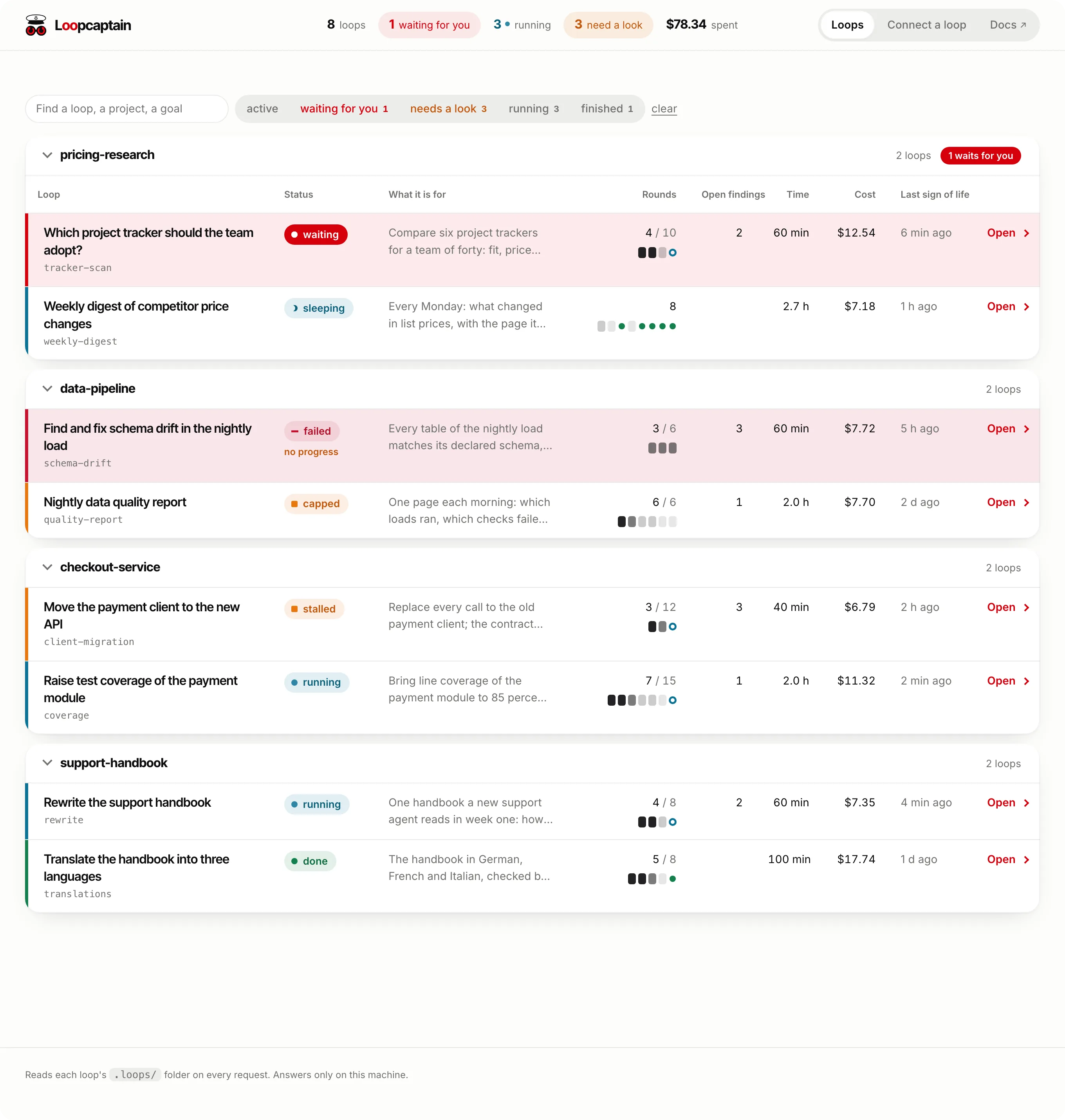
Watch only repositories you have read
The board's Start button runs the command a loop declares in its own
loop.json. A folder of repositories nobody has read does not belong
on the board.
2. Check each loop
loopcaptain validate ~/work/some-repo          # problems and warnings in its .loops folders
loopcaptain doctor ~/work/some-repo <loop-id>  # with the loop running: does it take a stop?
validate reads; doctor sends a running loop a signed stop and passes
once the loop took it and ended.
3. Let agent sessions report
A loop with a script needs nothing installed. A loop that an agent session drives reports through the MCP server:
loopcaptain mcp-config <agent> # prints the line that adds the server to your agent
Works with every agent lists each agent.
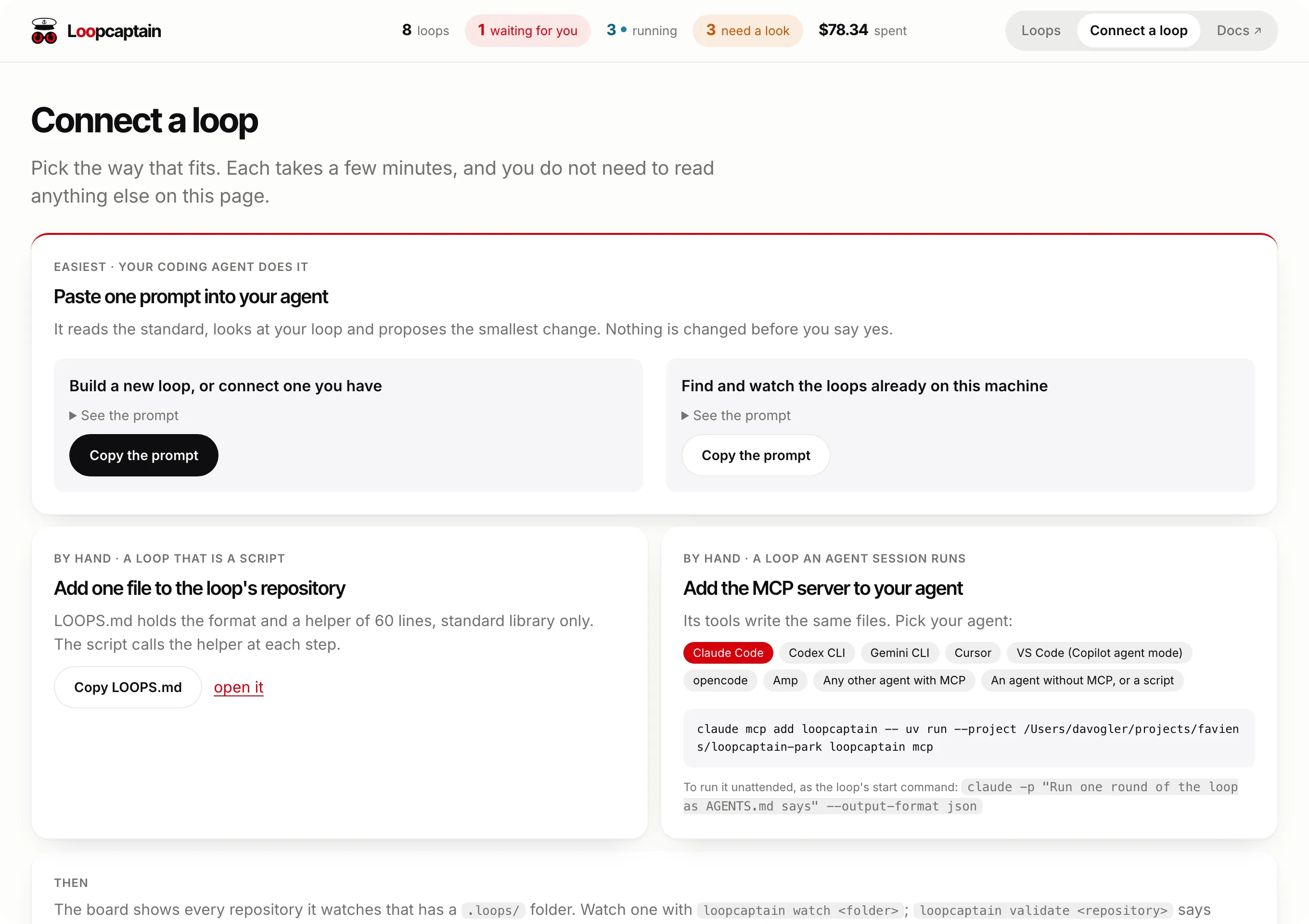
The board shows the same on its Connect a loop page: the two prompts with a Copy button, and the line for the agent you pick.
4. Run the board
loopcaptain serve                   # prints the address to open, port 8484
loopcaptain serve --port 9000

- The board binds to 127.0.0.1 and accepts requests only for that host.
It has no login:
serveprints one line with the address to open, the number of repositories it watches and the config it read. Opening that address sets a session cookie in that browser; a browser without it sees a page that says where the address is. The key in the address is new at every start, so after a restart open the new address. - A port that is taken stops
servewith one line that says so; start it with--port <other>. - It reads the files again on every request and keeps no database. Stop it whenever you like; nothing is lost.
- It runs only while you run it. To keep it up, leave it in a terminal or a terminal multiplexer.
- Restart it after an upgrade.
5. The key your answers are signed with
The board signs every line it writes into a loop's inbox.jsonl with a
key of that loop alone. The keys are files in the board's config folder,
never in a repository:
File in ~/.config/loopcaptain/ |
Holds | Read by |
|---|---|---|
board.key |
the secret every loop's key is made from, made when serve first starts |
the board only |
keys/<name>.key |
the key of one loop folder; <name> is a digest of the folder's place |
that loop, and the board |
keys/<name>.earlier |
the marks of the lines that loop's inbox held under the earlier key when its key was first made; nothing is added later | the board |
inbox.key |
the one key of earlier versions, still used for sig |
a loop with a helper pasted before each loop had a key |
A loop stores no key. Its helper works out the name of its own file from
the place of its .loops/<loop-id>/ folder and reads that file, so it
can refuse a stop or an answer the board did not write, and it cannot
sign for any other loop. The board writes a loop's file when it first
sees the loop, and before it starts it. A loop the board starts gets
LOOPCAPTAIN_INBOX_KEY, which says where the folder is and holds no key;
a loop you start yourself finds the default place. Moving a repository
gives its loops new keys: answers sent before the move then read as not
from the board.


When a loop does not show
| What you see | Likely cause | Check |
|---|---|---|
| The repository is missing | it is not watched, or has no .loops/ folder |
loopcaptain watch <repository>, then reload |
| The loop shows as unreadable | loop.json does not follow the protocol |
loopcaptain validate <repository> |
stalled |
a round is open and no line arrived for 45 minutes | the loop's own log; a loop that sleeps says so with next_at |
| Start is not offered | the loop declares no commands.start |
its loop.json |
| Your answer is not taken | the loop does not read its inbox, or refuses an unsigned line | loopcaptain doctor <repository> <loop-id> |
serve says the port cannot be used |
another board, or another program on that port | loopcaptain serve --port <other> |