Skip to content

Loopcaptain

An open protocol for agent loops and a local dashboard to monitor and steer them: one board for every agent loop. A loop, in its own repository, writes a few small files; the board shows what it is for, where it stands, what every round and reviewer found, what it cost, and what waits for you. You answer and steer from the board.
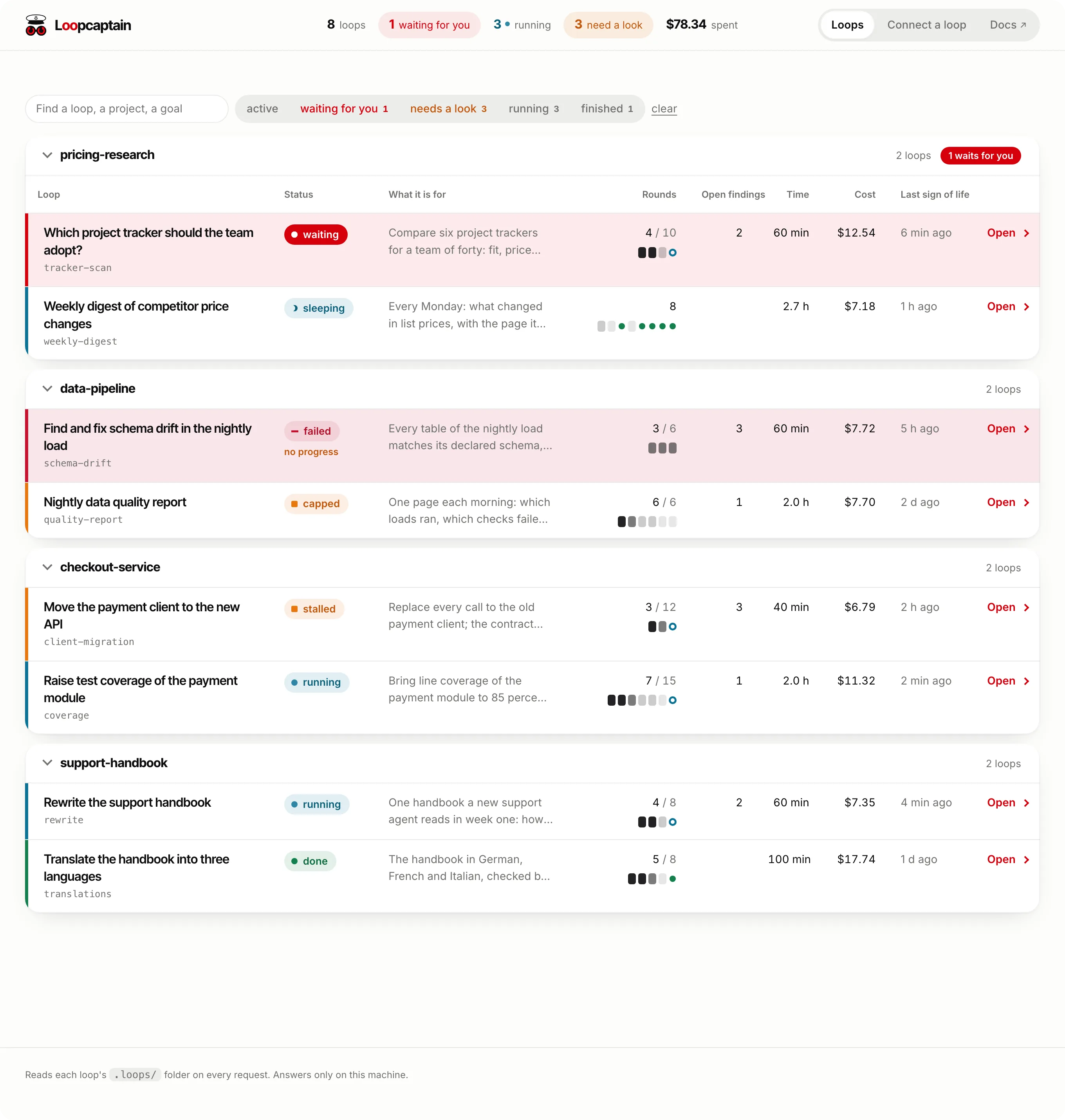
The board's front page with eight invented loops in four projects: one waits for an answer, two run, one stalled and one failed are marked, each with its rounds, open findings, time and cost.

Invented loops, photographed from the board itself.

Get started

Look first. Install it and get started with the example loop, which costs nothing: no model, no network.

Paste one line into your coding agent, whichever you use.

Start a new loop.

Use Loopcaptain to build an agent loop in this repository: follow https://github.com/faviens/loopcaptain/blob/main/standard/AGENTS.md.

Connect a loop you have.

Connect the agent loops on this machine to the Loopcaptain board: follow https://github.com/faviens/loopcaptain/blob/main/AGENTS.md, section A.

What you see
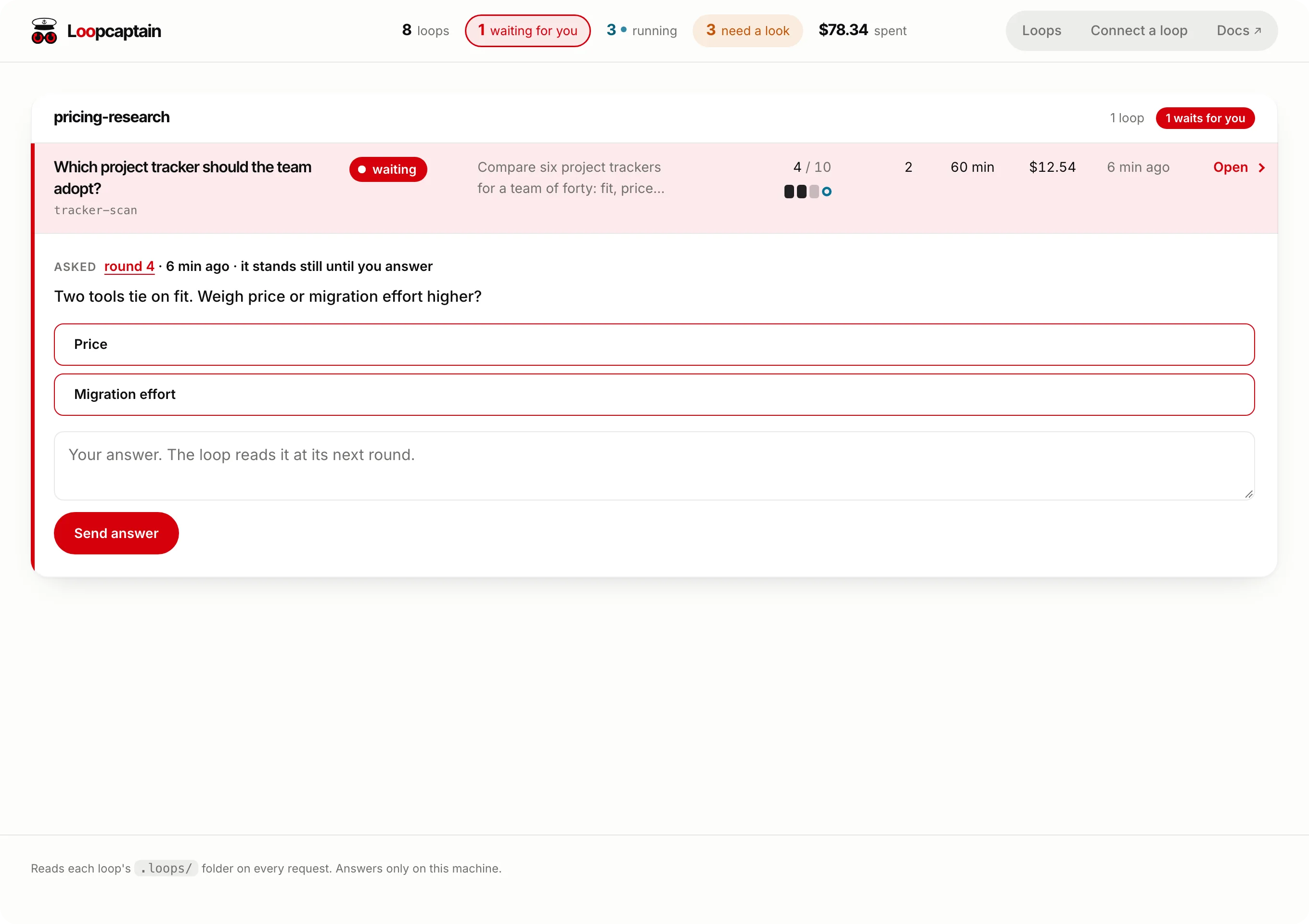
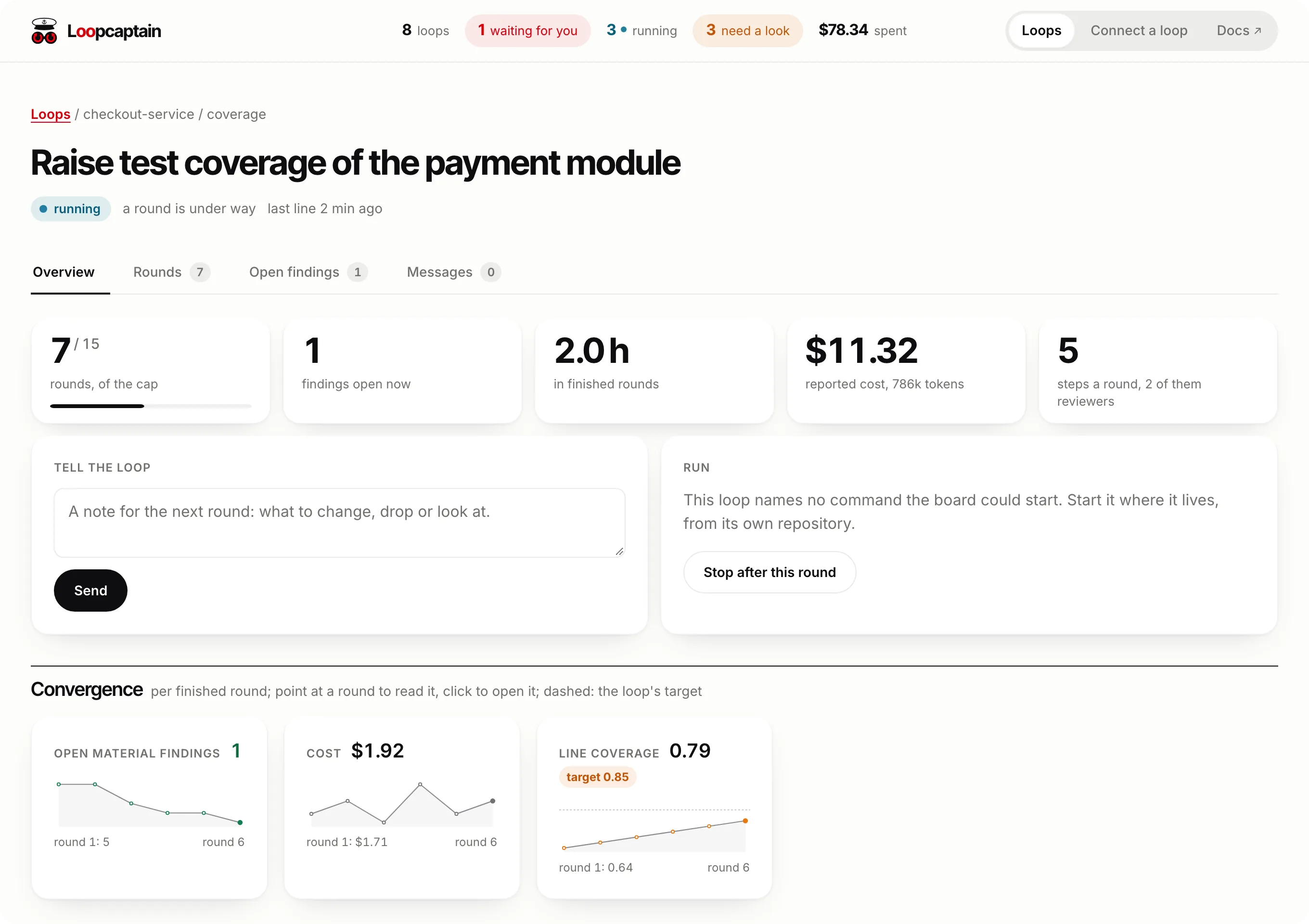
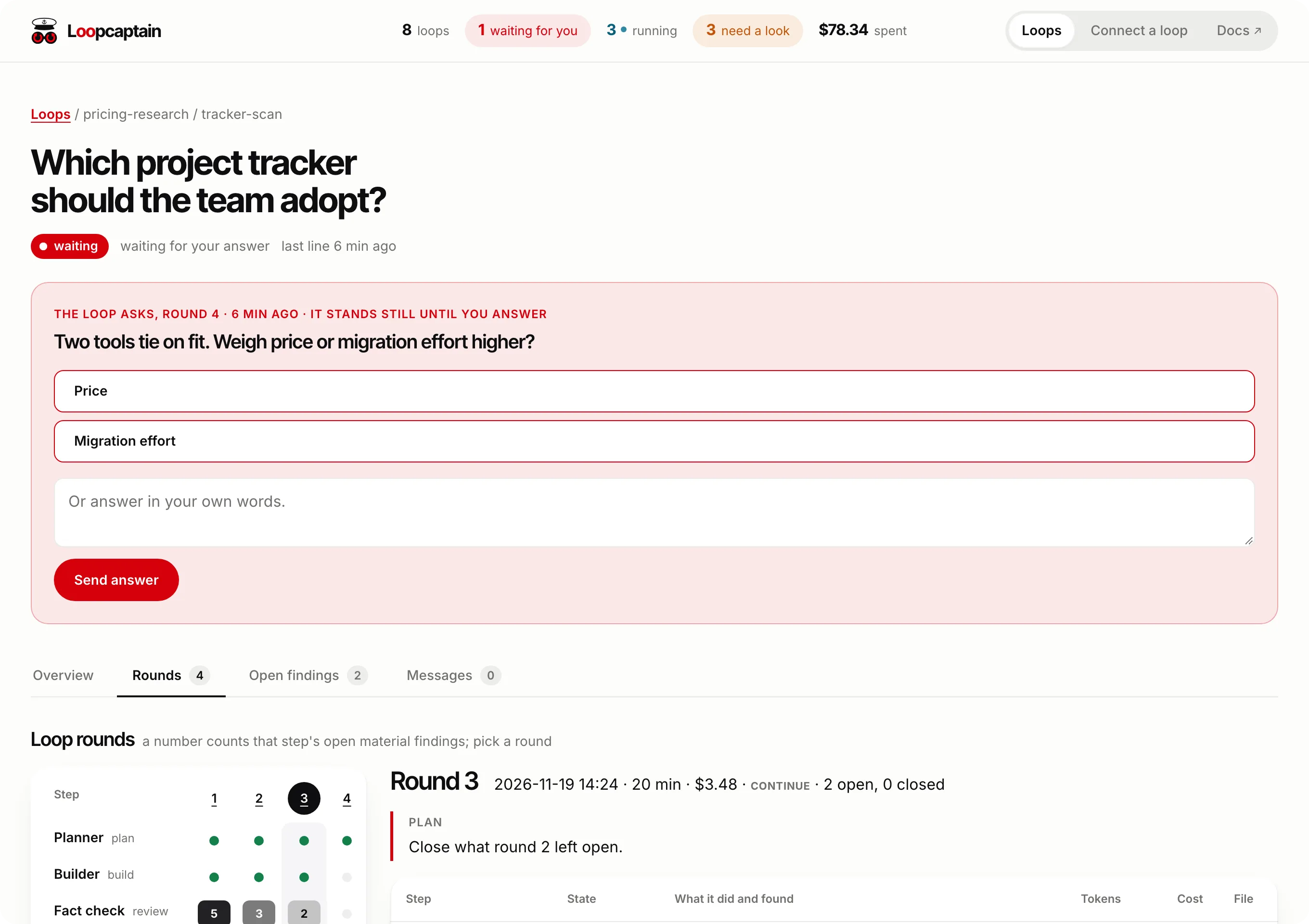
Waiting for you: a loop's question with two answer buttons and a box for your own words. One loop: key figures, rounds against the cap, and a line per measure showing whether it converges.

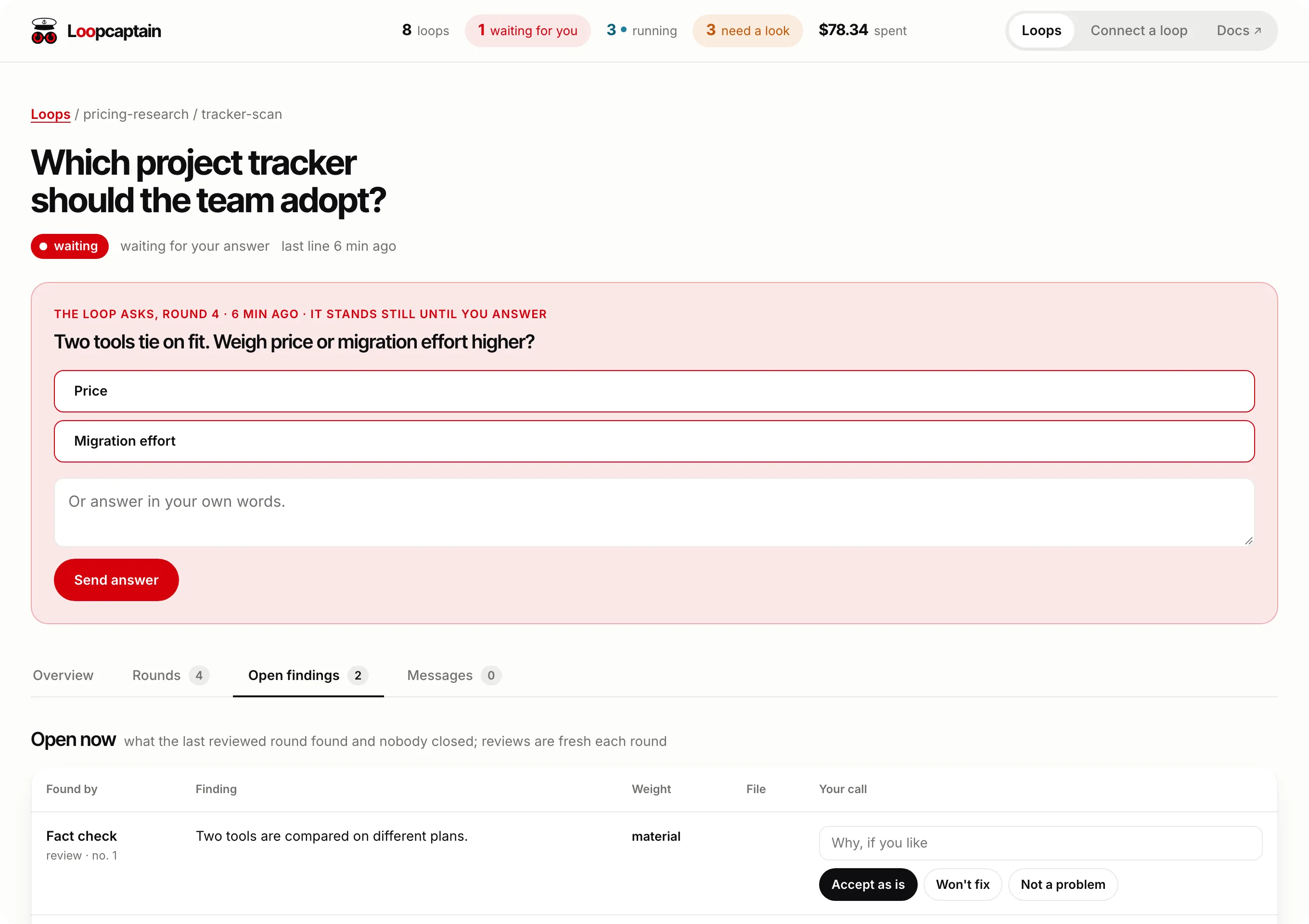
The rounds of one loop: every round against every step, and one round with what each step did, found and cost. Open findings of one loop: what the last reviewed round left open, by reviewer.

The board walks through each page.

How it works
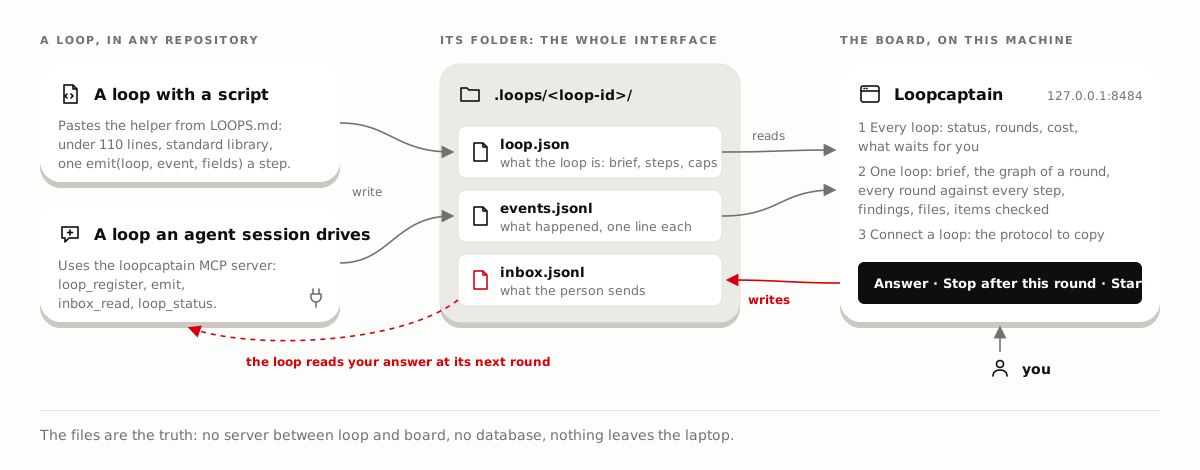
How it works. On the left, a loop in any repository: a script that pastes the helper from LOOPS.md, or an agent session that uses the MCP server. Both write the loop's folder, .loops/loop-id, with loop.json, events.jsonl and inbox.jsonl. On the right, the board on this machine reads the folder and shows every loop, one loop in detail, and the protocol to copy. Your answer, a stop or a start goes back through inbox.jsonl, which the loop reads at its next round.